wg8 App — Download APK for Android
Get the wg8 app free on your Android phone. Cricket betting, live casino, slots and Crash — all in one place. Deposit with bKash or Nagad in under 2 minutes.
File: wg8.apk · 58 MB · Android 8.0+ · Version 2.6.4 · Free
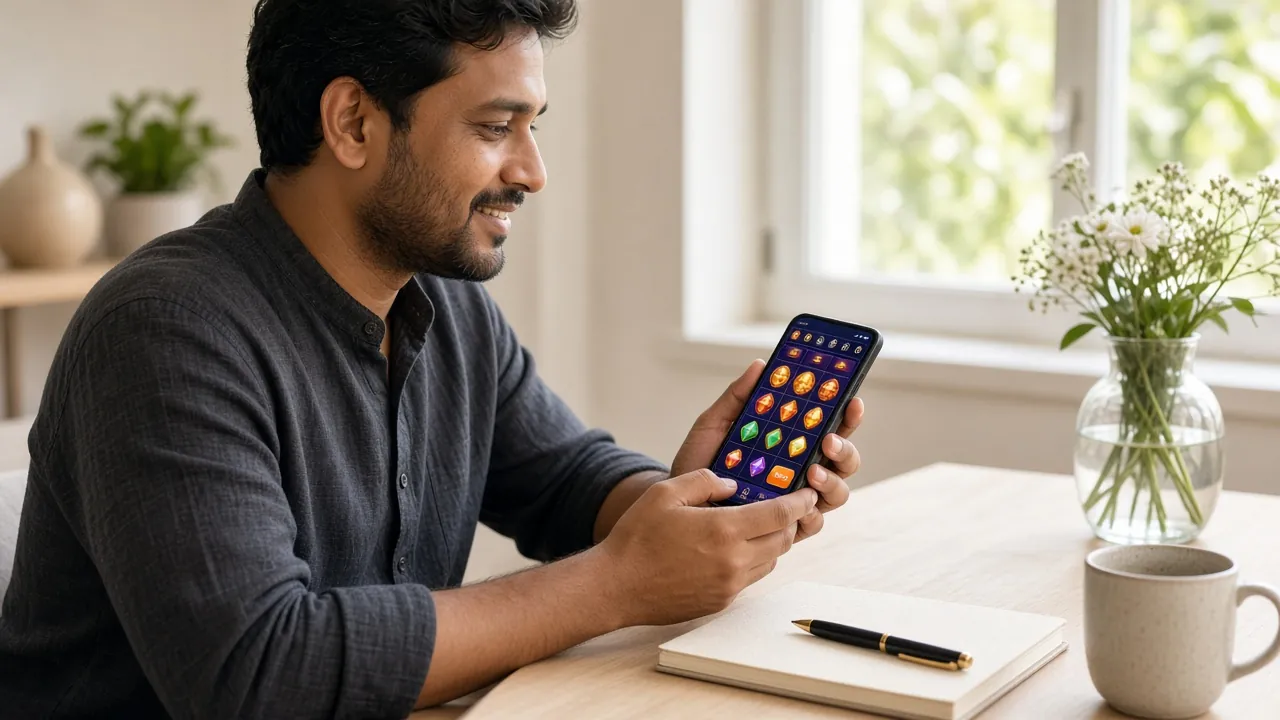
App Features
Native Android Speed
The wg8 app loads games faster than a mobile browser. No re-entering your password each session. Pages render in under 1 second on a standard 4G connection — ideal for live in-play betting on Bangladesh Premier League matches.
Cricket & Sports Betting
Place bets on IPL, BPL, T20 and ODI matches directly from the app. Live odds update in real time. The betting slip stays open while you browse other markets — you never lose your selections when switching tabs inside the app.
Full Game Lobby
Over 2,000 games are available in the app — the same full library as the desktop site. Slots from Pragmatic Play and PG Soft, live dealer tables, Teen Patti, Crash, Keno and fishing games all load inside the app without opening a browser.
bKash & Nagad Deposit
Deposit from ৳100 using bKash, Nagad, Rocket or Upay. The app opens your mobile banking app directly — no copy-pasting account numbers. Funds arrive in your wg8 wallet in about 2 minutes. Minimum withdrawal is ৳1,000.
Push Notifications
Opt in to receive match start alerts, bonus credit notifications and withdrawal confirmation messages. Each notification type can be toggled separately inside the app settings — you only get alerts you actually want.
24/7 Live Chat
Tap the chat icon in the app to reach the wg8 support team any time of day or night. The chat window stays open in the background while you play. You can also email [email protected] for account questions that need documentation.
Get wg8 on Your Phone
The wg8 app is a free APK download — no app store needed. Install it in under 3 minutes and you're ready to play or bet.
- Version 2.6.4 — updated 3 Nov 2026
- 58 MB — quick download on any mobile data connection
- Requires Android 8.0 or higher
- 100% free — no hidden fees or subscriptions
Already have an account? Log in here.
How to Install on Android
-
1
Allow Unknown Sources
Go to your phone's Settings → Security (or Settings → Apps → Install Unknown Apps on Android 10+). Find your browser or file manager in the list and toggle on "Allow from this source." This is a one-time setting. Android shows this warning because the APK comes directly from wg8 rather than the Google Play Store. The setting does not affect your other apps.
-
2
Download the APK
Tap the Download APK button above or visit wg8.vin/wg8-app/ on your phone's browser. The file wg8.apk (58 MB) will save to your Downloads folder. Use a Wi-Fi or strong 4G connection. The download usually takes under 30 seconds. Do not close the browser tab before the download completes.
-
3
Open the APK File
Open your phone's File Manager and navigate to the Downloads folder. Tap wg8.apk. A system install prompt will appear. Tap Install and wait around 10 seconds. If you see a "Play Protect" warning, tap Install Anyway — the file is safe (see the Security section below for details on what permissions wg8 requests).
-
4
Open the App & Log In
Tap Open once installation finishes, or find the wg8 icon on your home screen. If you already have a wg8 account, tap Log In and enter your phone number or email plus password. Your balance, transaction history and bonuses all carry over automatically — nothing is stored only on the web version.
-
5
New User? Register in the App
If you don't have an account yet, tap Register on the app's welcome screen. You can also create your wg8 account on the website first and then log in. Registration takes under 2 minutes. You'll need a valid phone number for the OTP verification step. Your first deposit bonus (200% up to ৳25,000) is available right after your account is verified.
iOS — Add to Home Screen
The wg8 app APK is Android only. iPhone users can access all features through Safari using the Add to Home Screen shortcut — it works like an app icon.
-
1
Open wg8.vin in Safari
Type wg8.vin into Safari on your iPhone. Make sure you're using Safari, not Chrome — only Safari supports the Add to Home Screen feature on iOS.
-
2
Tap Share, Then Add to Home Screen
Tap the Share icon (the box with an arrow) at the bottom of Safari. Scroll down in the share sheet and tap Add to Home Screen. Give it a name and tap Add. The wg8 icon will appear on your home screen just like a regular app.
-
3
Log In and Start Playing
Tap the wg8 icon to open a full-screen browser session. Log in with your account details. All games, betting markets and payment methods work the same way as on Android.

Version & System Requirements
These are the official details for the current wg8 app release. Always download from this page to make sure you have the genuine, unmodified file.
| Item | Detail |
|---|---|
| Version | 2.6.4 |
| File Name | wg8.apk |
| File Size | 58 MB |
| Minimum Android | Android 8.0 (Oreo) or higher |
| Last Updated | 3 November 2026 |
| Price | Free |
| Languages | English, Bangla |
| Connection | 4G, 5G or Wi-Fi recommended |
Having trouble installing? See the troubleshooting table below.
- Games in App
- 2,000+
- Min Deposit
- ৳100
- Withdrawal
- ~10 min
- Welcome Bonus
- 200%
Games Inside the App
Every game available on the wg8 website works in the app. Below are some popular picks. Visit the wg8 Casino page for the full library.

App vs Web Browser
Both options work for Bangladesh players. Here is how they compare so you can choose what suits your setup. The APK gives you push notifications and a slightly faster load — the browser version needs no install at all.
| Feature | wg8 App (APK) | Mobile Browser |
|---|---|---|
| Installation required | One-time APK install | No install needed |
| Page load speed | Faster (native rendering) | Slightly slower on older phones |
| Push notifications | Yes — match & bonus alerts | Not available |
| Full game library | All 2,000+ games | All 2,000+ games |
| bKash / Nagad deposit | Direct app handoff | Opens mobile banking app |
| Live Chat support | In-app chat widget | Via browser window |
| Offline access | Account info cached locally | Requires internet always |
| iOS support | Android only | Works on iPhone via Safari |
| Automatic updates | Prompted via in-app alert | Always latest version automatically |
Security & Permissions
The wg8 APK only requests permissions that are necessary for the app to work. It does not read your contacts, messages or call logs. Here is what it does request and why.
SSL Encryption on All Traffic
Every connection between the app and wg8 servers uses TLS 1.3 encryption. Your login credentials, payment details and account data are never sent in plain text. The same encryption standard is used by online banking apps.
No Camera or Microphone Access
The wg8 app does not request camera or microphone permissions at any point. The only media permission it may ask for is read access to your Downloads folder — so you can upload KYC documents when required before your first withdrawal.
Internet & Network State
The app requests INTERNET and ACCESS_NETWORK_STATE permissions. These are standard for any app that connects online. The network state permission lets the app detect if you switch from 4G to Wi-Fi and reconnect without interrupting your game session.
Download Only From This Page
Only download wg8.apk from wg8.vin/wg8-app/. Third-party APK sites may distribute modified files. The genuine file is 58 MB exactly. If a downloaded file is a different size, delete it and download again from this page.
Troubleshooting Common Issues
Most installation problems have a simple fix. Check this table before contacting support.
| Problem | Likely Cause | Fix |
|---|---|---|
| "Install blocked" message | Unknown sources not enabled for your browser or file manager | Go to Settings → Security → Install Unknown Apps. Select the app you used to download (e.g., Chrome or your file manager) and toggle "Allow from this source" to on. Then tap the APK again to resume installation. |
| Download stops at 0% or fails | Weak mobile data signal or browser restricting the file type | Switch to Wi-Fi or move to a better signal area. If your browser blocks the download with a warning, tap "Download anyway." Alternatively, copy the URL wg8.vin/download/wg8.apk into Chrome and try from there. |
| App crashes on first open | Android version below 8.0 or insufficient storage | Check your Android version in Settings → About Phone. The app requires Android 8.0 or higher. Also ensure you have at least 150 MB of free storage. Restart your phone and try opening the app again after clearing some space. |
| Log in fails after install | Incorrect password or account not yet verified | Use the Forgot Password option toreset via your registered email or phone number. If your account was just created, check that you completed the OTP verification step during registration. Contact [email protected] if the problem continues. |
| App says "Update required" | An older APK version is installed | Return to this page (wg8.vin/wg8-app/) and download the latest wg8.apk (version 2.6.4). Install over the existing app — you do not need to uninstall first. Your account data and balance will remain untouched after the update. |
Still stuck? Our 24/7 Live Chat team can walk you through installation step by step in real time.
FAQ
1. Is the wg8 APK safe to install?
Yes, when downloaded from this page only. The official wg8 APK is 58 MB, built for Android 8.0+, and does not contain adware or spyware. It requests only the minimum permissions needed to run: internet access and storage access for document uploads. To stay safe, always download from wg8.vin/wg8-app/ and not from third-party APK sites, which may distribute altered files.
2. Why isn't the wg8 app on Google Play?
Google Play does not allow real-money gambling apps for the Bangladesh market. Because of this, wg8 distributes its Android app as a direct APK download. This is standard practice for licensed betting platforms in Bangladesh. The APK is identical in functionality to what you would get from an app store — it simply requires you to enable "Install Unknown Sources" once in your phone settings.
3. How do I update the wg8 app to the latest version?
When a new version is available, the app will show an "Update Available" prompt the next time you open it. Tap the prompt to be taken directly to this download page. Download the new wg8.apk and install it over your existing version — you do not need to uninstall first. The current version is 2.6.4, updated 3 November 2026.
4. Can I use the same account on the app and the website?
Yes. Your wg8 account works across the app, mobile browser and desktop browser at the same time. Balance, bonuses, betting history and VIP level all sync in real time. If you register on the website, you can log straight into the app with the same credentials — no separate registration needed.
5. Does the app work on a tablet or low-end Android phone?
The app works on Android tablets as well as phones, provided they run Android 8.0 or higher. On low-end phones with limited RAM, we recommend closing background apps before launching wg8 to ensure smooth game performance. Live dealer games stream video and need a steady 4G or Wi-Fi connection. Simpler games like slots and Teen Patti run well even on modest hardware.
6. How do I deposit using bKash inside the app?
Tap Deposit in the app menu, select bKash, and enter the amount (minimum ৳100). The app will hand off directly to your bKash app. Confirm the payment there and return to wg8 — funds appear in your wallet in about 2 minutes. You can also use Nagad, Rocket, Upay or Bank Transfer. For a full walkthrough, see the wg8 Deposit Guide.
7. What should I do if the app installation keeps failing?
First, confirm your Android version is 8.0 or higher and that you have at least 150 MB of free storage. Make sure "Install Unknown Apps" is enabled for the browser or file manager you used to download the file. Delete any partially downloaded APK files and start fresh from this page. If the problem continues, try downloading on a Wi-Fi connection and contact our 24/7 Live Chat support team for real-time help.
Our support team is available 24/7. Get help with installation, account setup or payments.
Create Free Account Log In to wg8- 18+ Only
- SSL Encrypted
- 24/7 Support
- bKash & Nagad
- Android 8.0+
- Free APK
18+ · Play Responsibly. The wg8 app is for adults aged 18 and over. Gambling should be entertaining — never chase losses or bet more than you can afford to lose. If gambling stops being fun, contact a helpline or visit our Responsible Gaming page.